Works offline
A service worker caches the app and the card data, so the builder opens on the train and at a venue with no signal. Prices refresh when you are back online.
What’s on board
GDECK is a free, fan-made toolkit for constructed play: every English card with live legality checking, a rules engine that plays out full games to test a matchup, a collection tracker with buy lists, and TCGplayer prices refreshed nightly. No account, no install. Everything stays on your device.
01 Deck builder
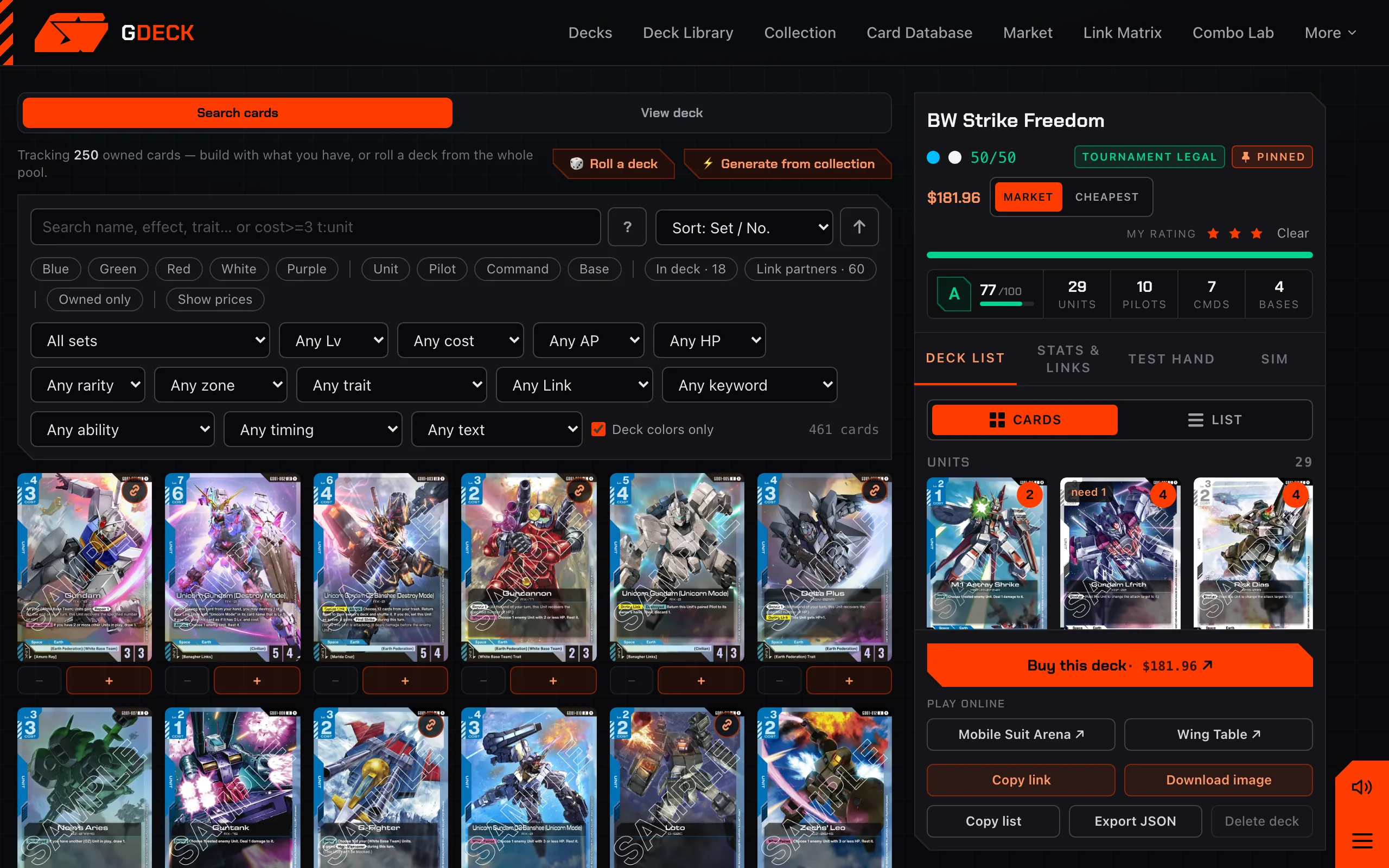
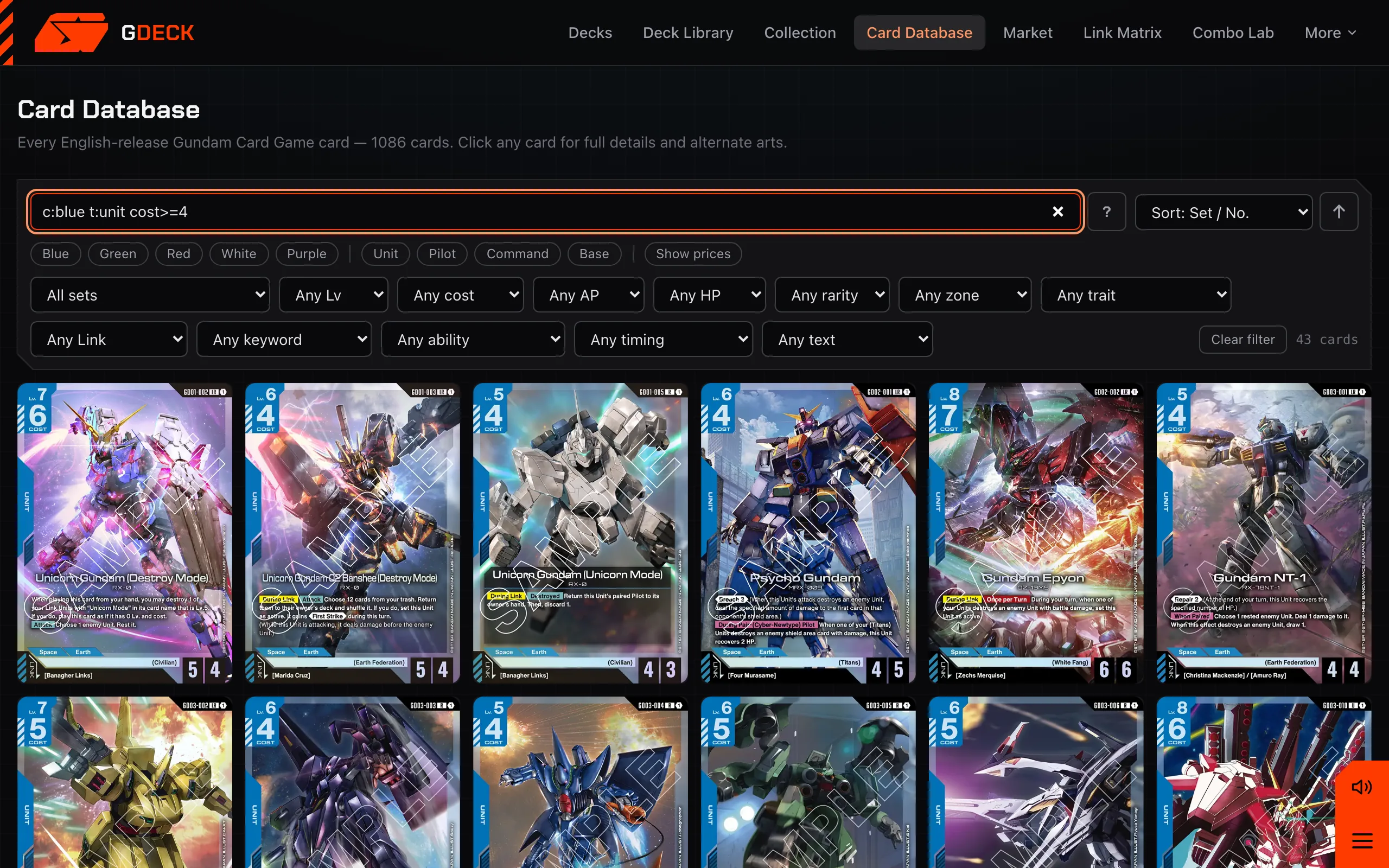
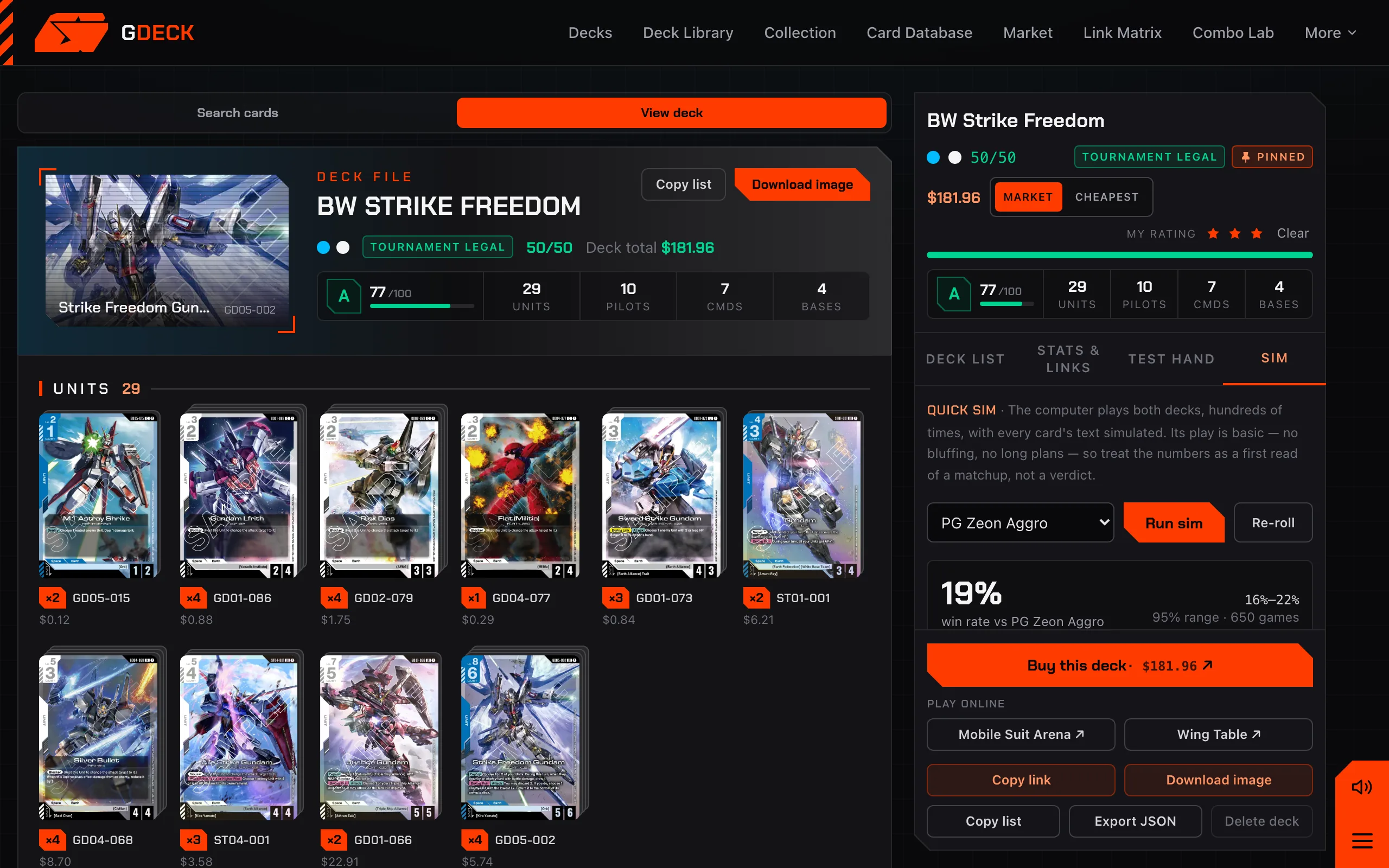
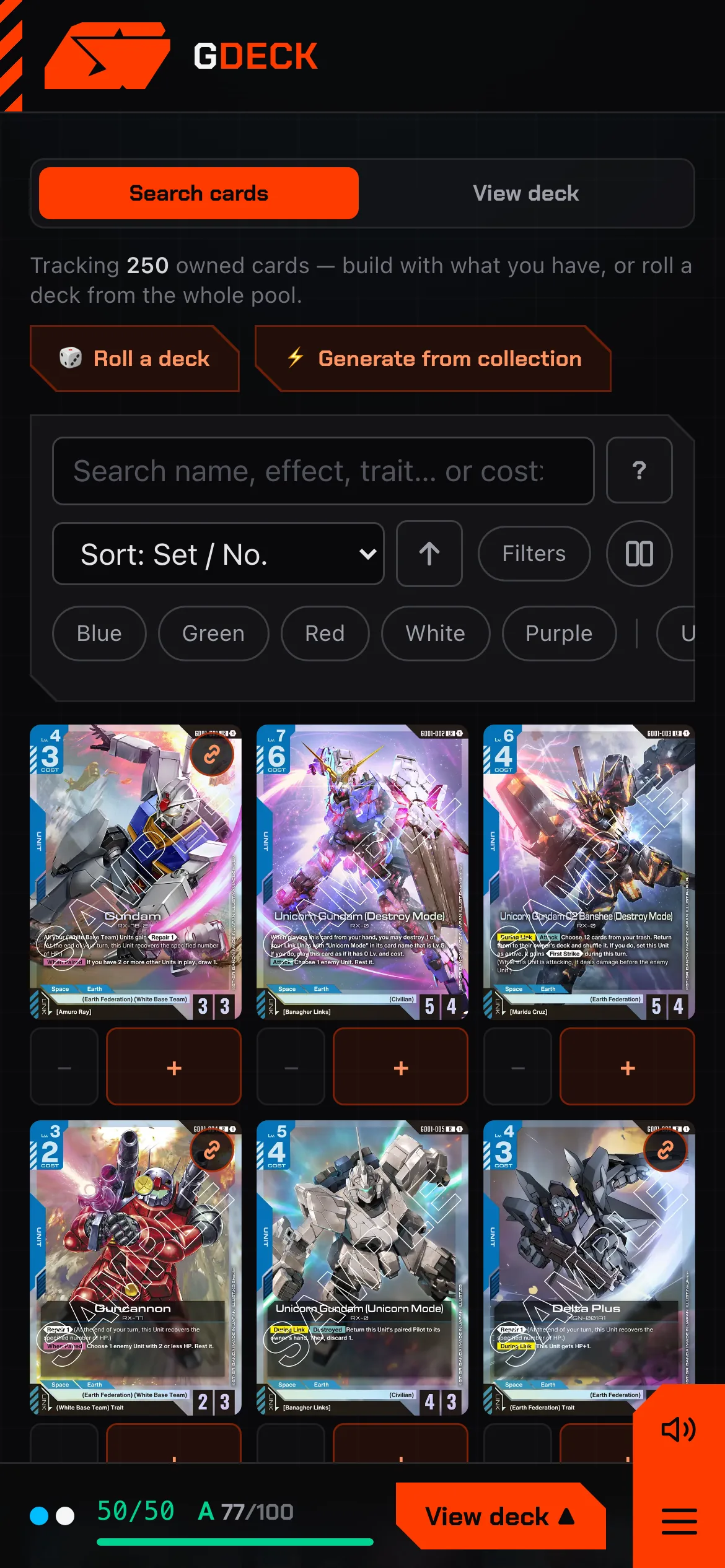
The builder puts a card browser and your deck side by side. Filters cover color, type, set, level, cost, AP, HP, trait, keyword, ability and timing, and the search box reads Scryfall-style syntax, so cost>=3 t:unit c:blue -k:blocker finds exactly the slot you are filling.
Every card you add is checked against the full deck-construction rules as you go: fifty cards, one or two colors, four copies per card number, the current banned and restricted list, and the banned-pair groups most players forget. A deck that is legal says so in green. One that is not tells you why.
02 Quick Sim
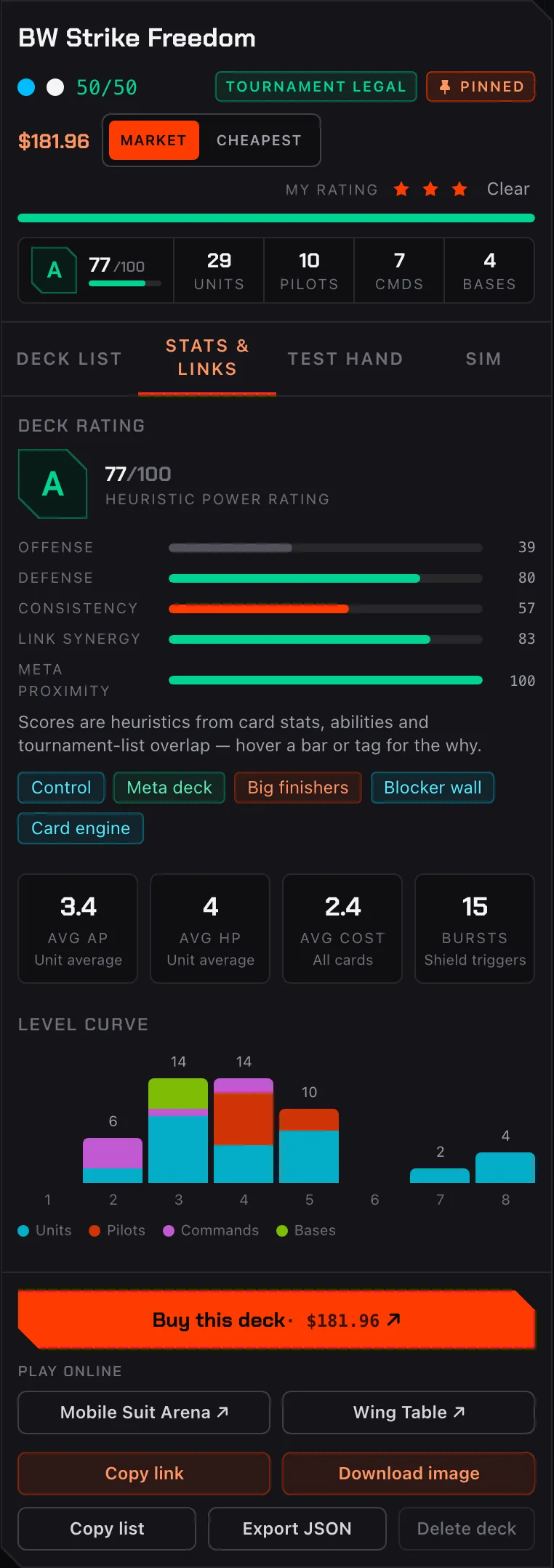
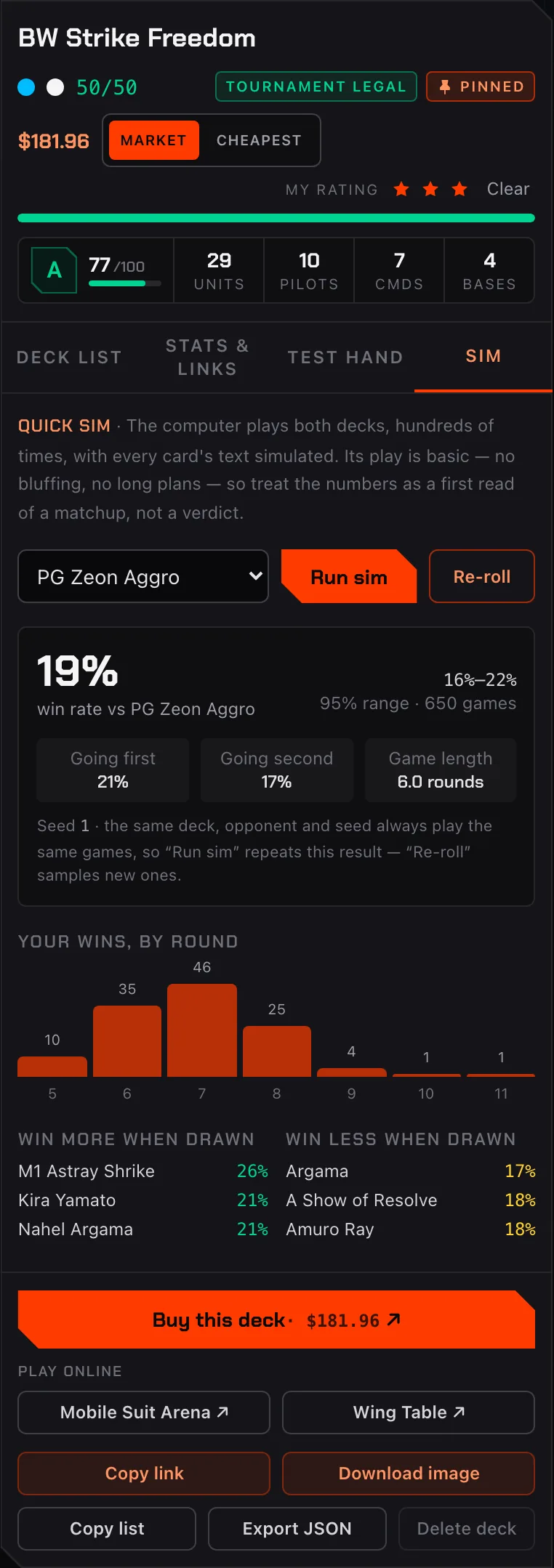
The Sim tab plays your deck against any starter deck, tournament list, GDECK Labs brew or deck pinned to your loadout, hundreds of games in a background thread, and comes back in seconds. It keeps playing until the 95% interval is tight, up to a thousand games. Underneath it is a complete rules engine with every card’s text implemented and a computer player on both sides.
You get the win rate with its 95% interval, going first against going second, wins by round, and which cards you win more or less with when they are drawn. The play is basic, with no bluffing and no long plans, so read it as a first look at a matchup rather than a verdict.
03 Play Online
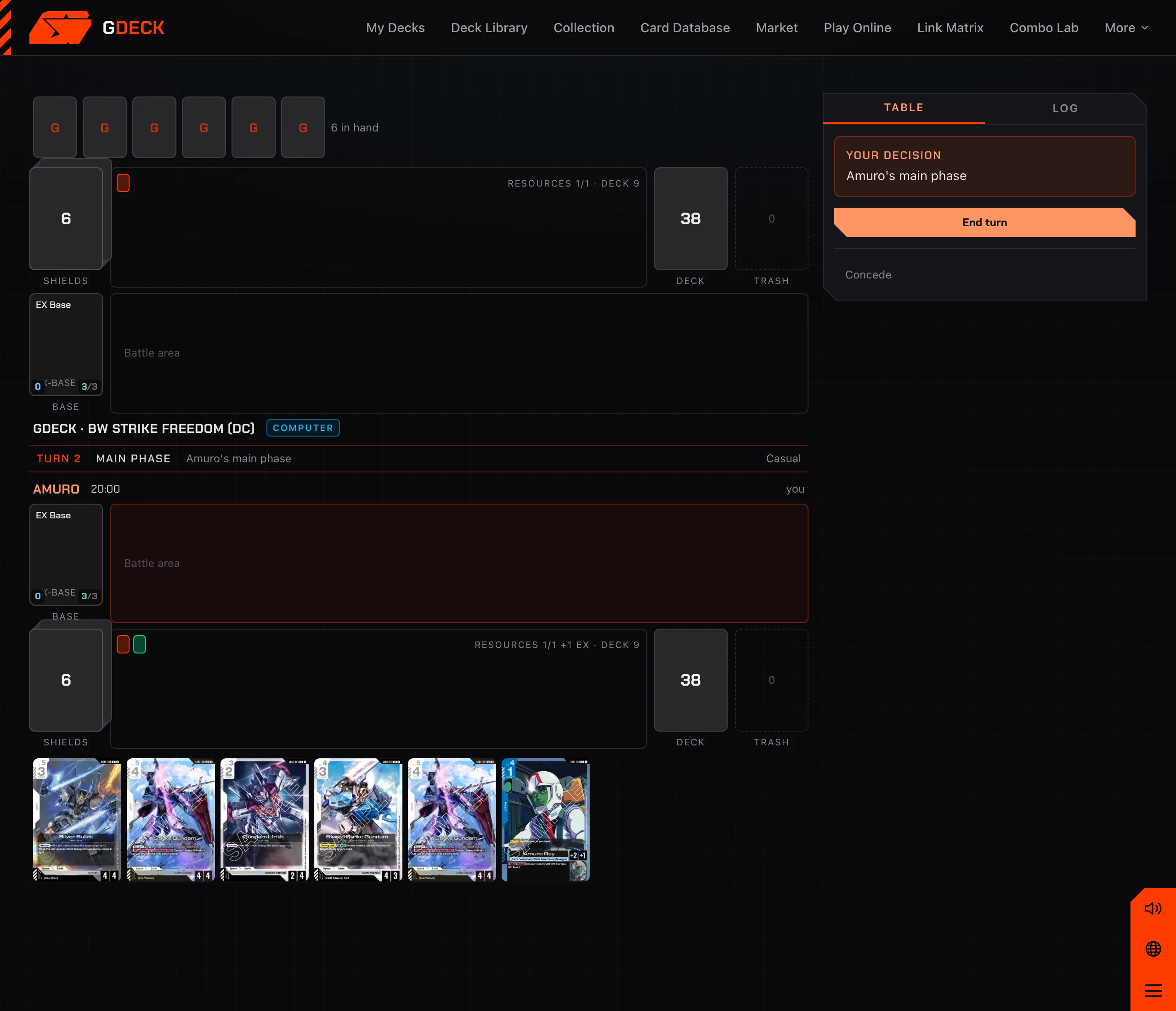
Pick a nickname and a deck and you are at the table: Quick Match pairs you with whoever is searching, a private room hands you a six-letter code for a friend, and the computer is always ready for a game. Hand, Shields, Base, battle area, Resources, trash and deck sit where you expect them, and the table only ever offers legal plays — every phase, Link, Blocker, Burst and card effect resolves for you.
Your opponent sees only what they should, so every game is fair. Quick Match pairs you with whoever is searching, every game runs on a chess clock, and anyone can spectate a live table from the lobby.
04 Deck Roll & Generate
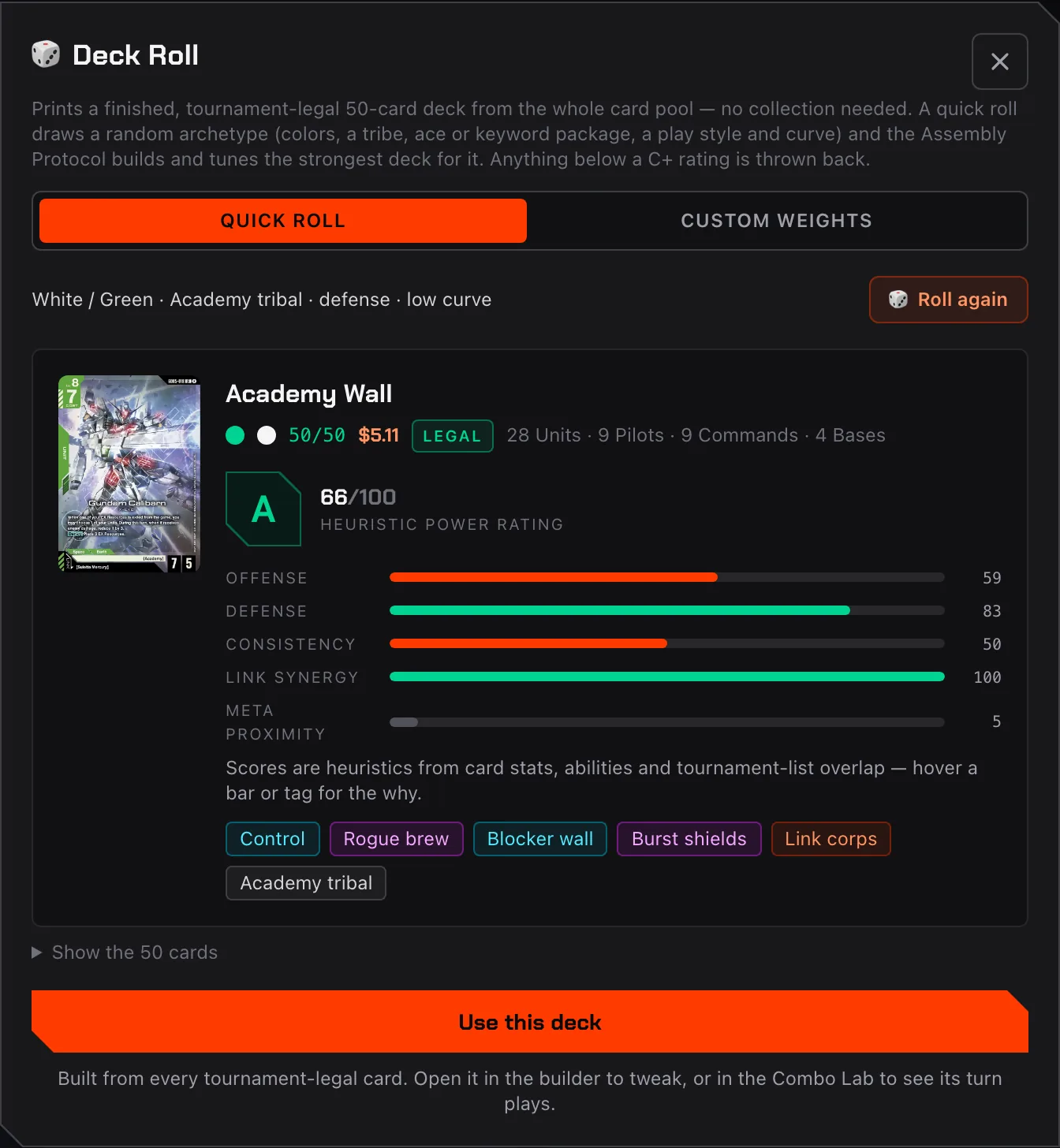
Deck Roll draws an archetype from the whole card pool: colors, a tribe, an ace or a keyword package, a play style and a curve. The generator then builds the deck and tunes it against a quality floor, throwing back anything that rates below a C+.
Prefer to steer? Set your own weights, feature the cards it must include, and roll again. Generate does the same job from the cards you already own, or under a budget in dollars.
05 Deck Library
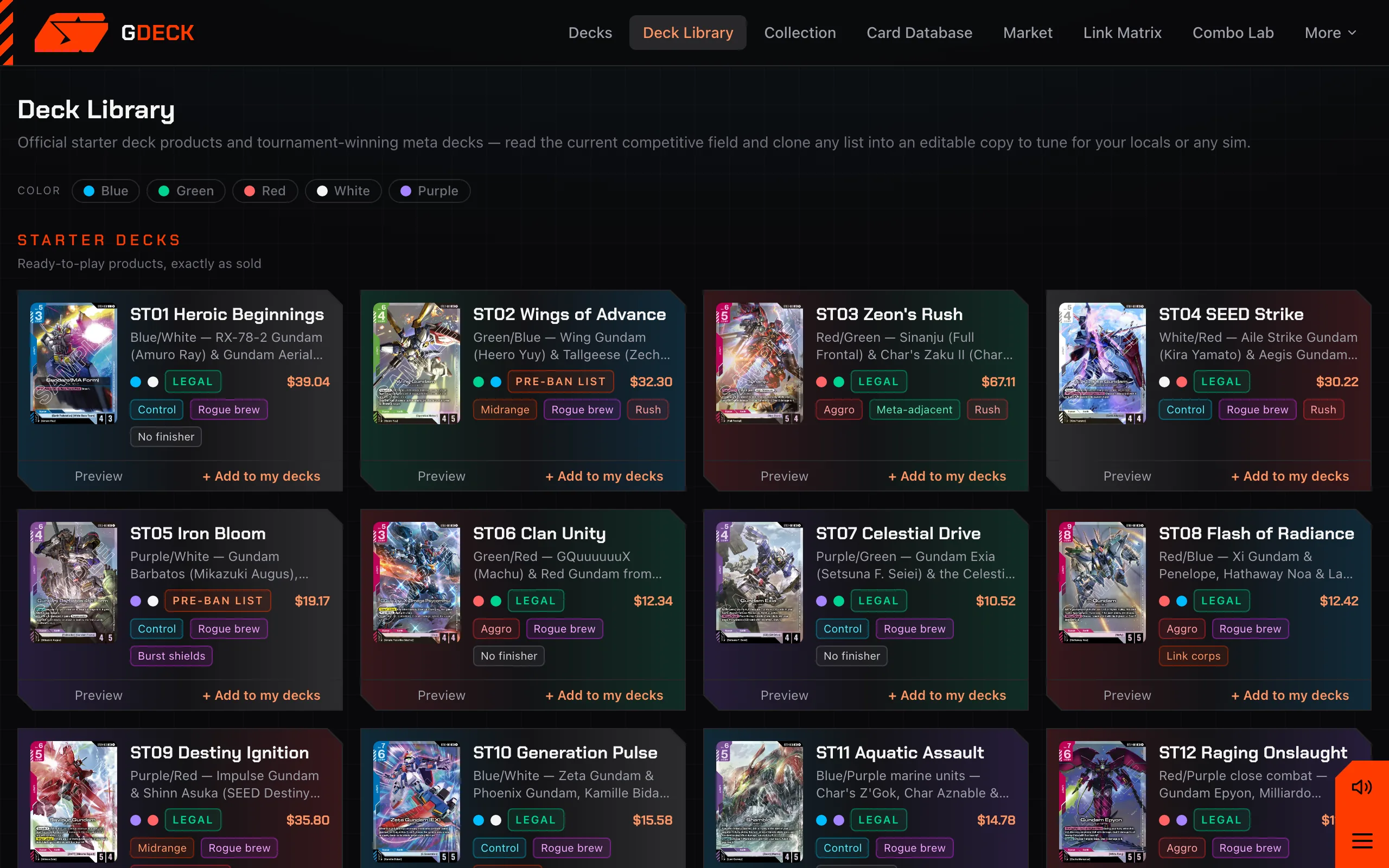
All 14 official starter decks, as sold and cross-checked against several sources, next to tournament-winning meta decks with the player and the event they took down. One click clones any list into an editable copy of your own.
A script verifies every list against the card data before it ships: card numbers, copy counts, fifty cards, colors and the banlist. If a list is in the library, it is legal.
06 Combo Lab
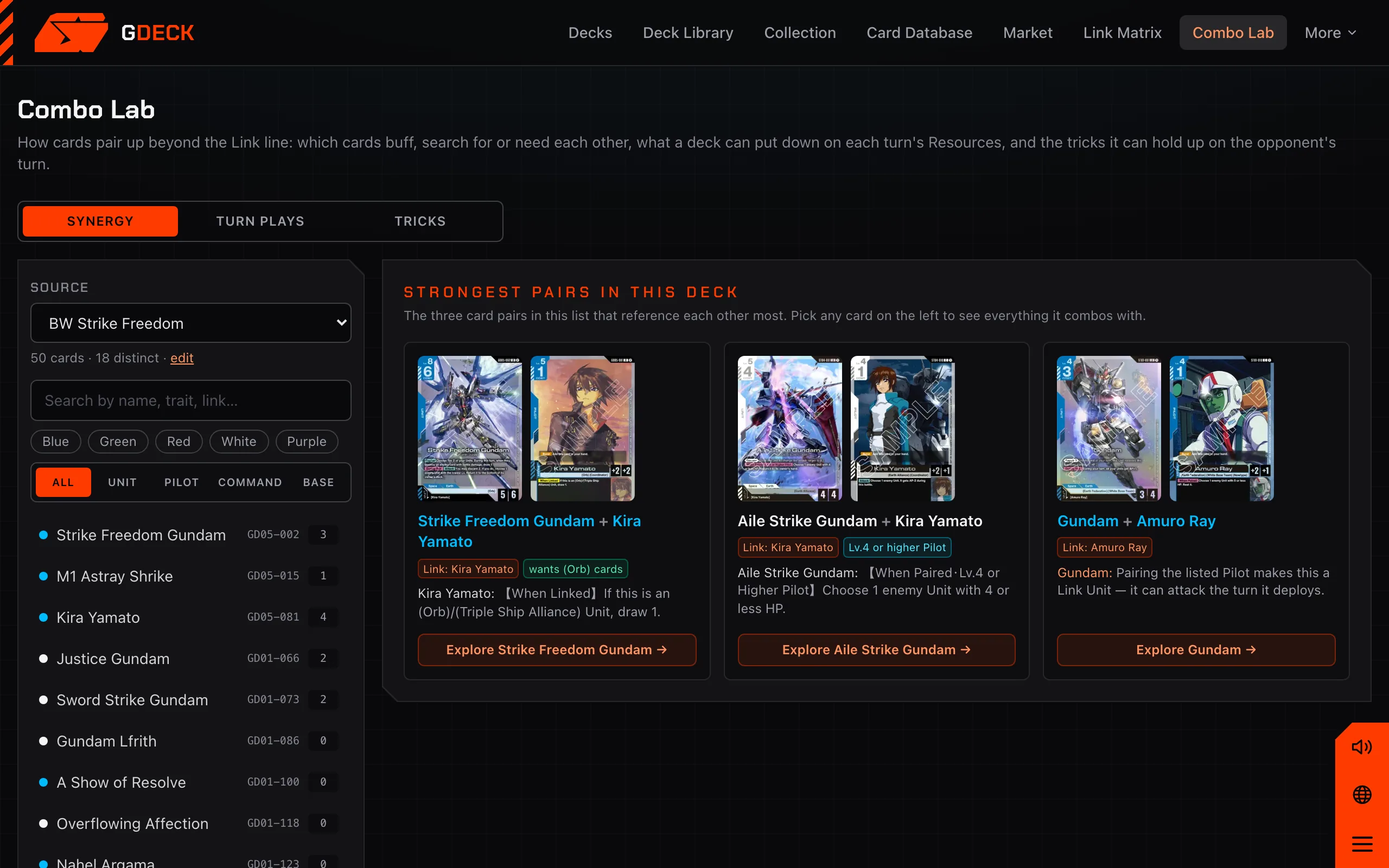
Combo Lab parses the effect text of the whole database: trait buffs and requirements, named-card references, Pilot level and color conditions, AP pumps, and Links, including Commands with a Pilot side. Point it at a deck and it shows which pairs the list actually contains.
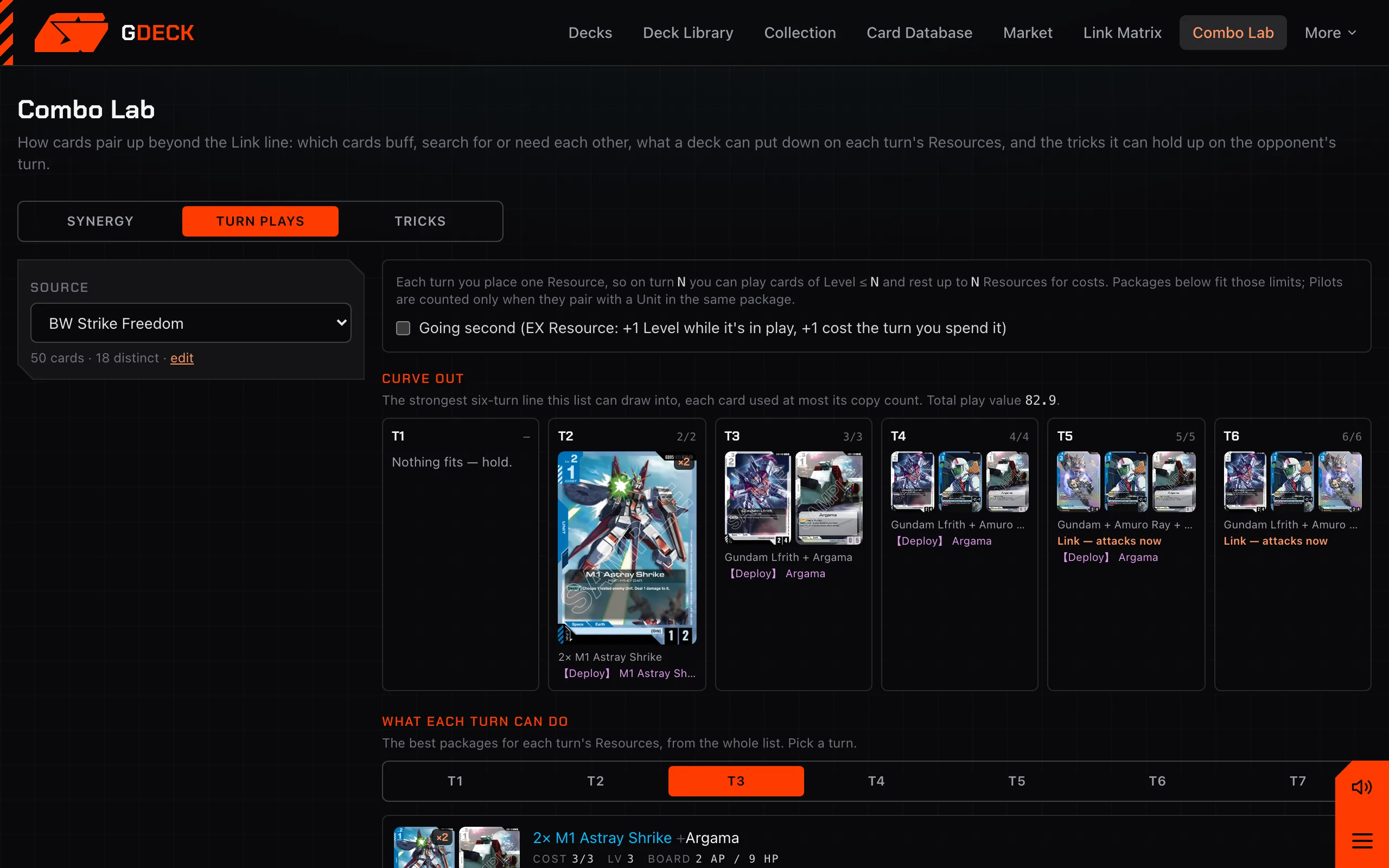
Turn plays lays out what the deck can deploy on each turn’s Resources. Tricks lists the Action Commands, Blockers, Bursts and lethal reach it can hold up.
07 Link Matrix
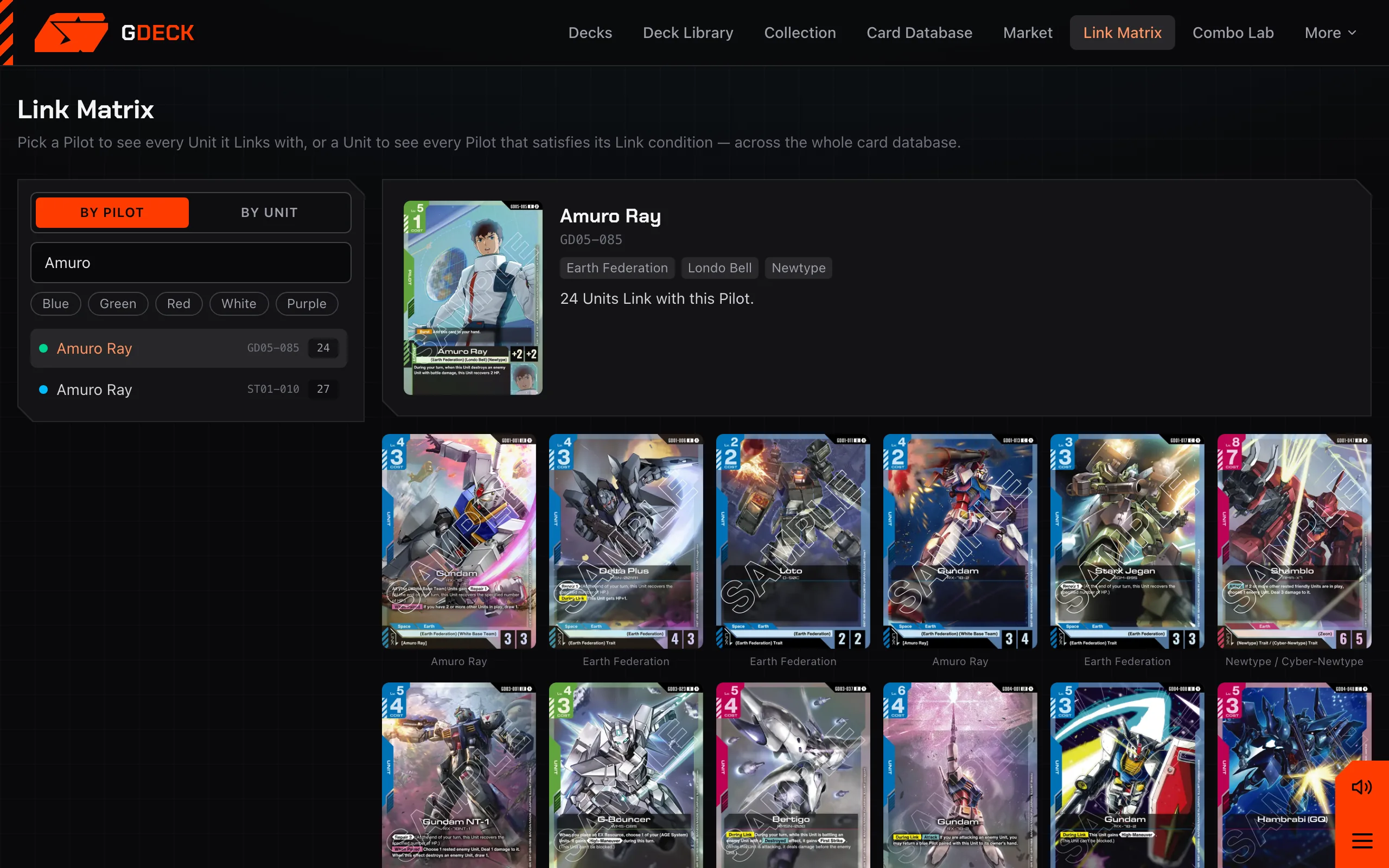
Pick a Pilot and see every Unit it Links with. Pick a Unit and see every Pilot that fits. Filter by color, search by name, trait or link text. It is the quickest way to find the pairing a two-color deck is missing.
08 Collection
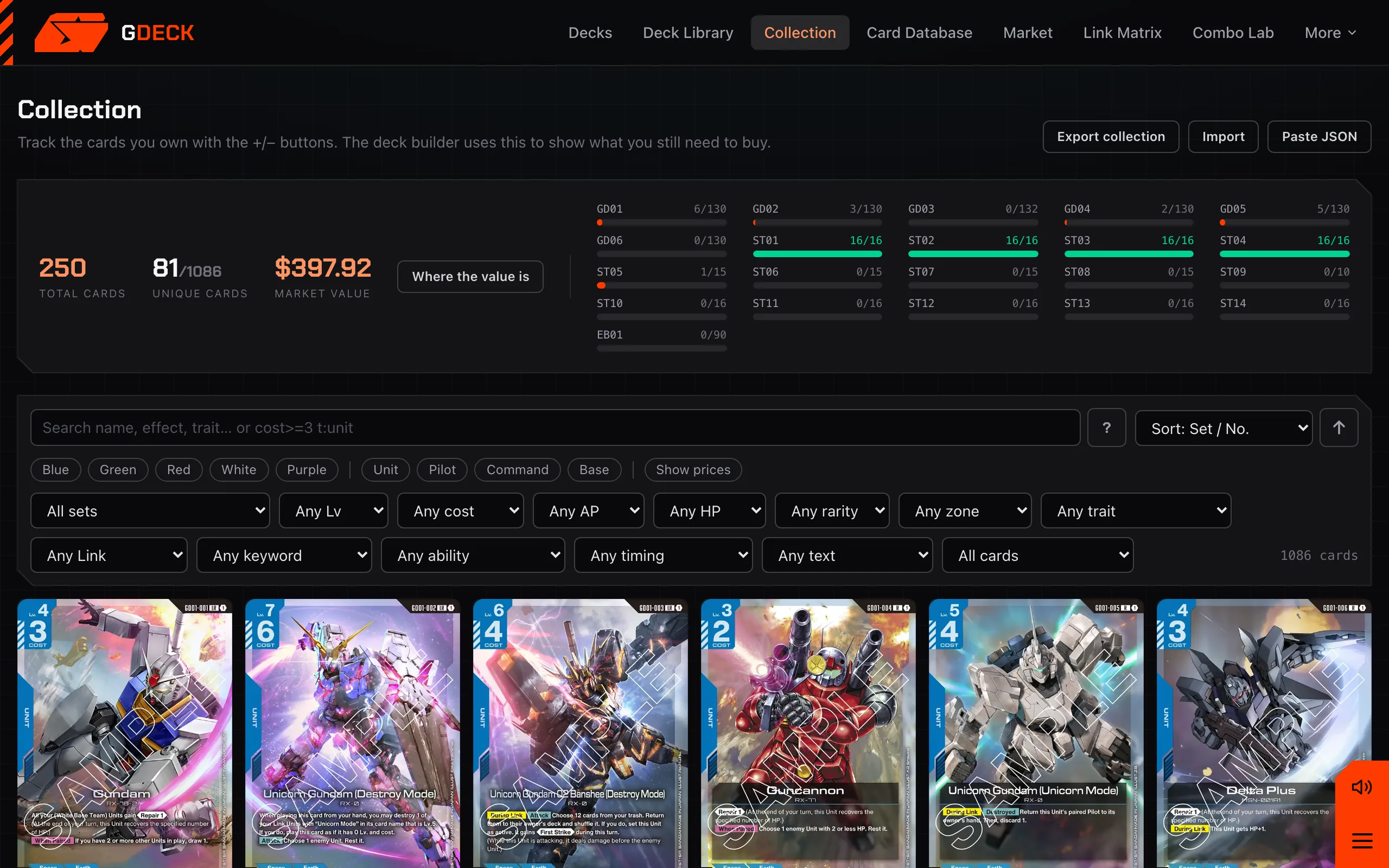
Log copies per card and per printing, watch each set’s completion fill in, and see what the binder is worth at market. The builder reads the same collection: it shows how many of a deck’s fifty you already hold and writes a buy list for the rest, with one click to send it to TCGplayer Mass Entry.
09 Market
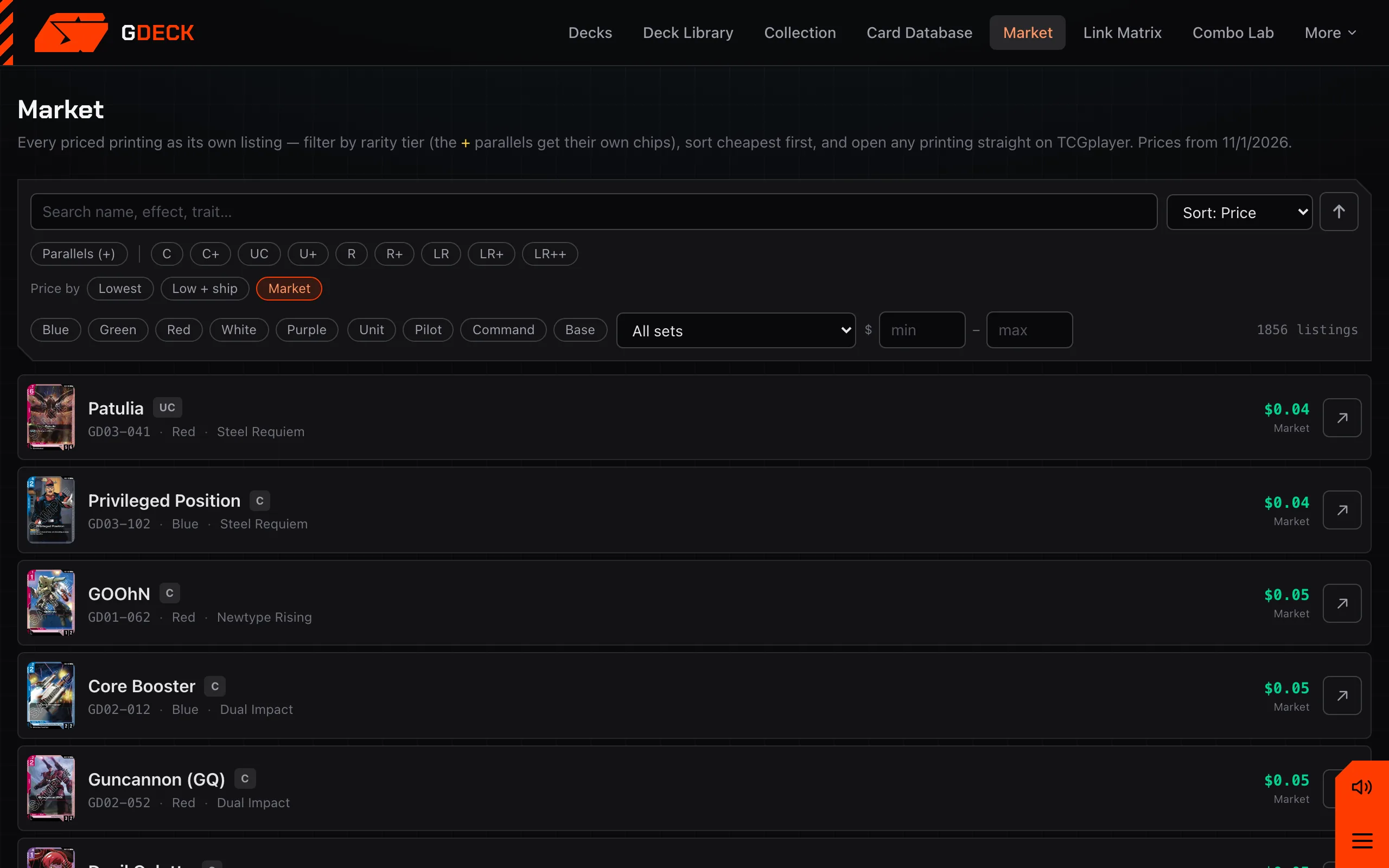
TCGplayer market and lowest-listing prices for every card and every parallel, refreshed every night. Sort cheapest first to finish a deck on a budget, filter by rarity tier to find the parallels worth chasing, and cost a deck from its cheapest legal printings or from market value, your choice.
10 Card database
Every English card from GD01 onward, every starter deck and EB01, with alternate-art printings grouped under their card number. Filter by anything printed on a card, or type a query. Open a card to read its full text and the official reminder text for its keywords, then jump straight to its combos.
11 Share & export
Copy a link and the whole decklist travels inside the URL, with a preview card for Discord and iMessage. Download the deck as an image for a tournament report. Copy it as a text list that any sim’s importer reads, as TCGplayer Mass Entry, or as JSON.
Going the other way, paste a list from a Discord thread or a tournament report and the importer reads most formats back into a deck.
12 Rules reference
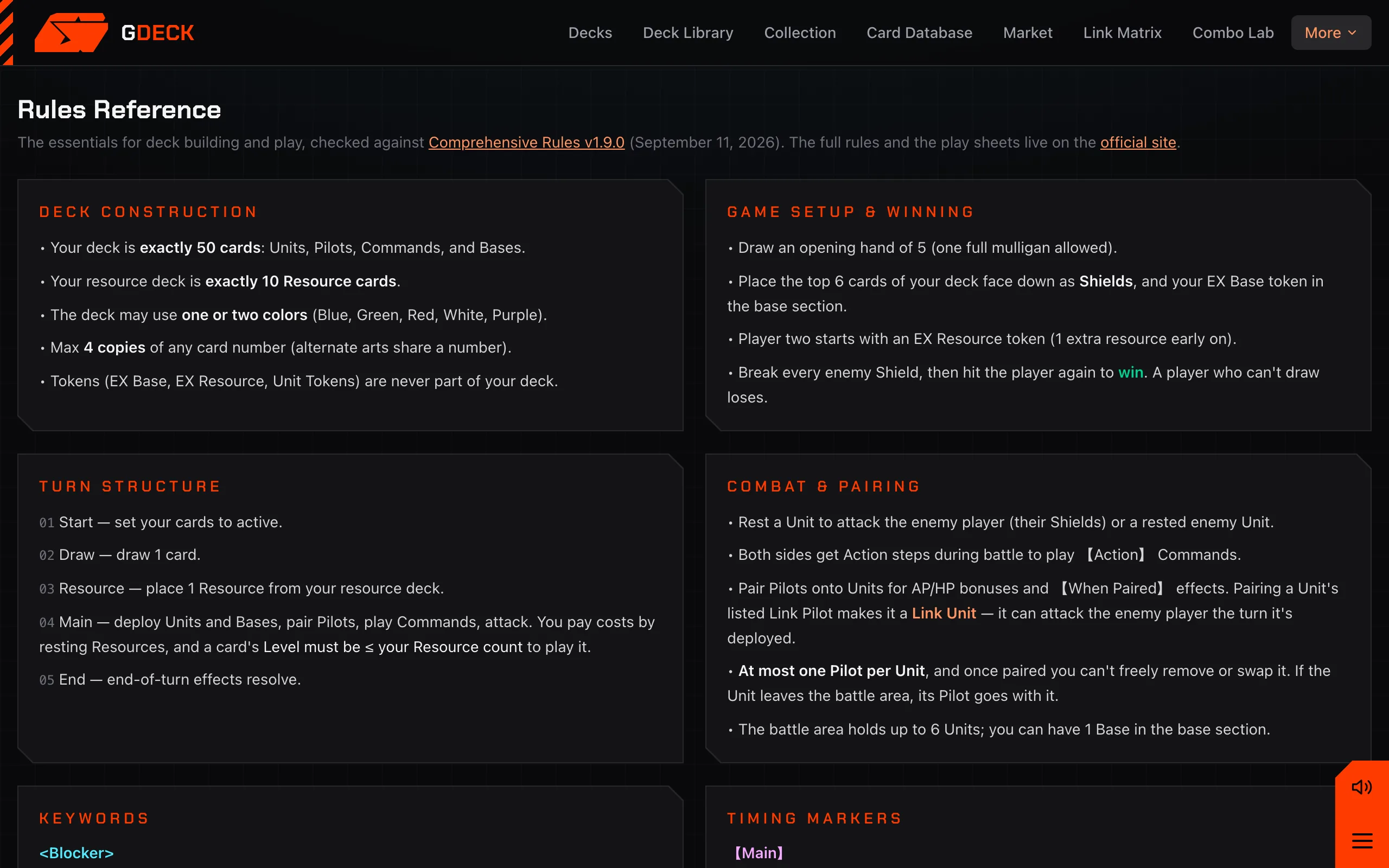
Deck construction, turn structure, every keyword with its official reminder text, the timing markers, and the live banned and restricted list, checked against the current Comprehensive Rules. The same banlist data drives the builder’s legality checks, so the reference and the builder cannot disagree.
13 On your phone
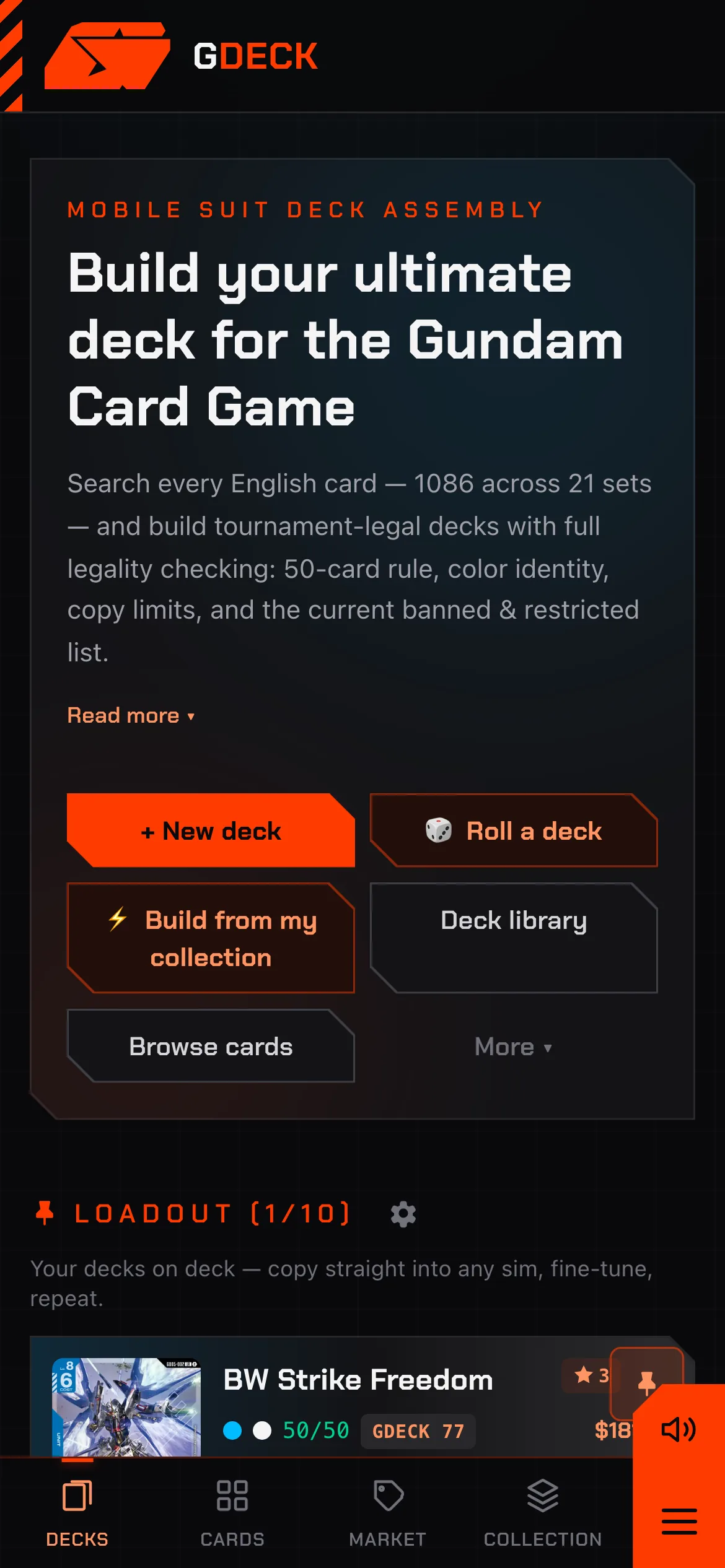
Nothing here is a desktop-only feature. The builder runs on a phone with the deck panel as a sheet, your go-to decks sit at the top of the home page for one-tap copying into a sim, and Quick Sim runs on the phone’s own CPU. Add it to your home screen and it opens like an app, offline included.
A service worker caches the app and the card data, so the builder opens on the train and at a venue with no signal. Prices refresh when you are back online.
Decks and collection live in your browser. No account, no server database, no tracking. The Backup page writes one file you can restore anywhere, and the app keeps automatic on-device snapshots.
No ads, nothing to pay for, nothing to install. Card data comes from gcg-api under the ODbL; images are served from the official GUNDAM CARD GAME site.
Ready when you are
No sign-up. Your first deck is thirty seconds away, and it stays on this device until you decide to share it.
Questions, a wrong card, a feature you want? Send feedback. More about the project on the About page.